FeelIT 2.0, Banco de Trabajo Háptico de Accesibilidad
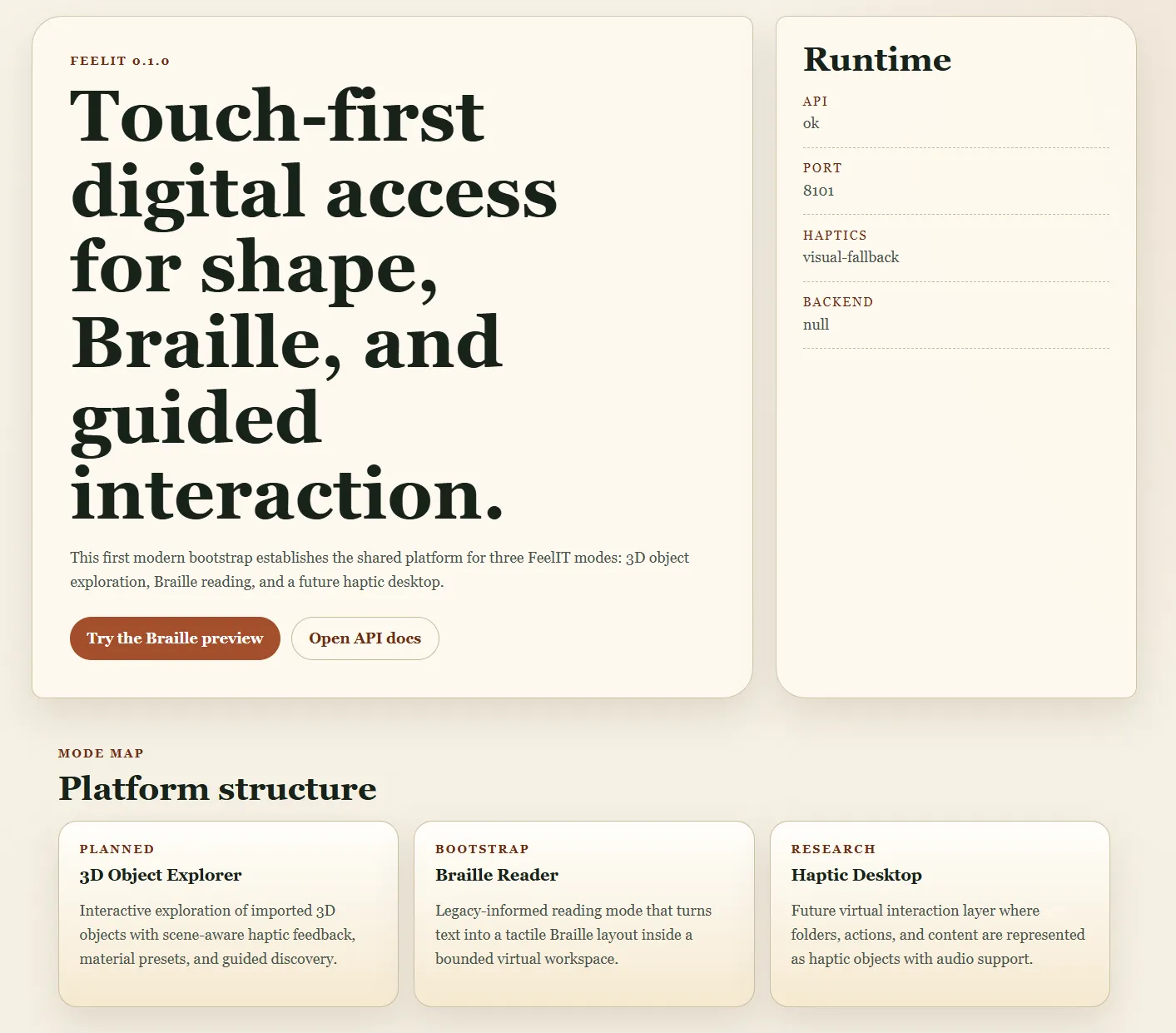
Banco de trabajo háptico web de accesibilidad que permite a usuarios con discapacidad visual explorar objetos 3D mediante tacto, leer texto Braille en entornos 3D inmersivos y navegar un escritorio háptico. La realización moderna de una visión iniciada en 2008.
Contexto de Negocio
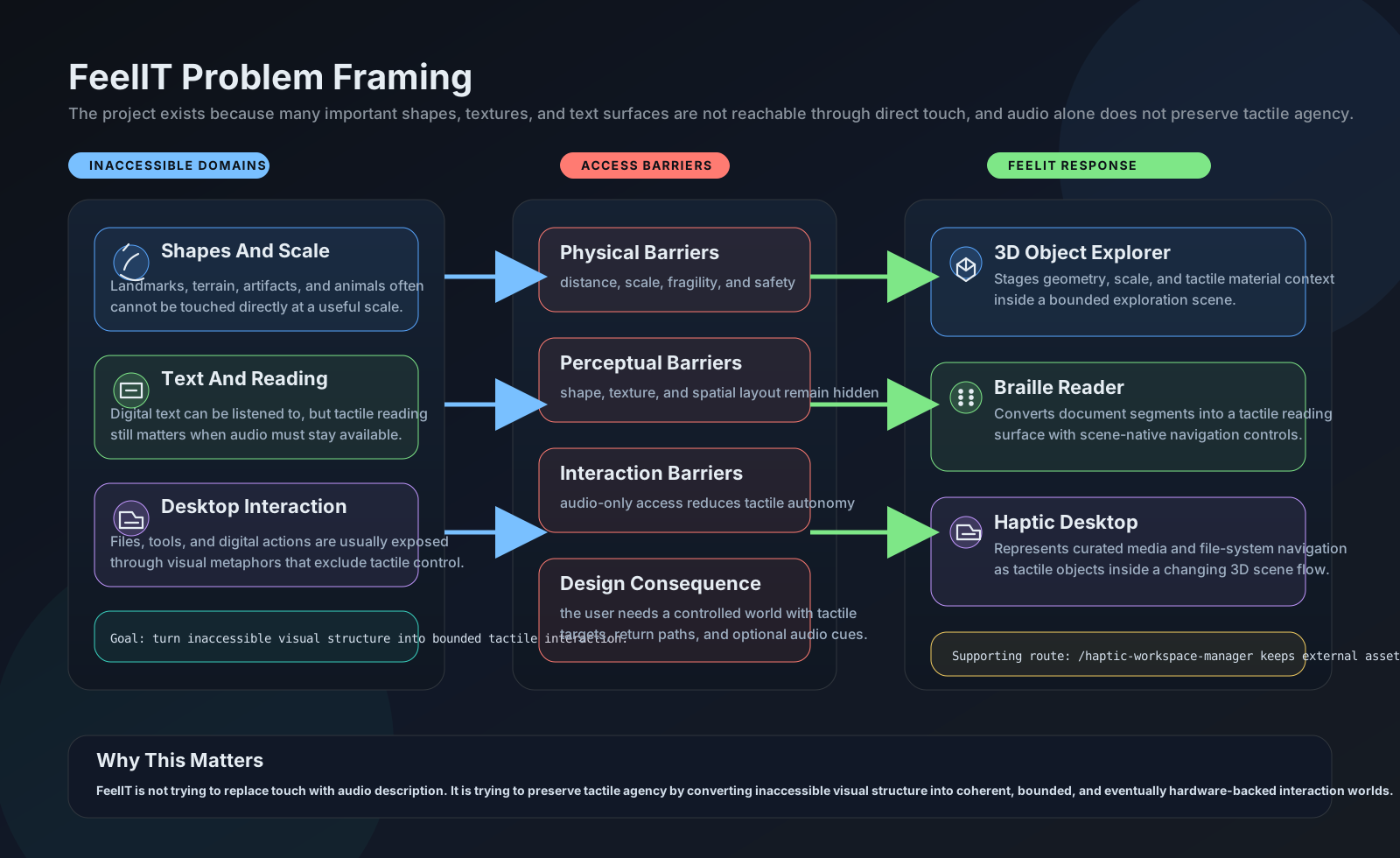
La accesibilidad táctil sigue siendo una de las áreas más desatendidas en tecnología asistiva. Los lectores de pantalla y las descripciones de audio dominan el campo, pero el audio solo no puede transmitir relaciones espaciales, geometría tridimensional ni la textura física de los objetos. Un usuario ciego puede escuchar la descripción de una escultura, pero no puede comprender su forma solo a través de palabras. El proyecto FeelIT original (2008-2012) intentó resolver esto con hardware físico, una pantalla táctil de pines, pero fue congelado cuando las limitaciones de miniaturización y costo resultaron insuperables.
Valor Estratégico
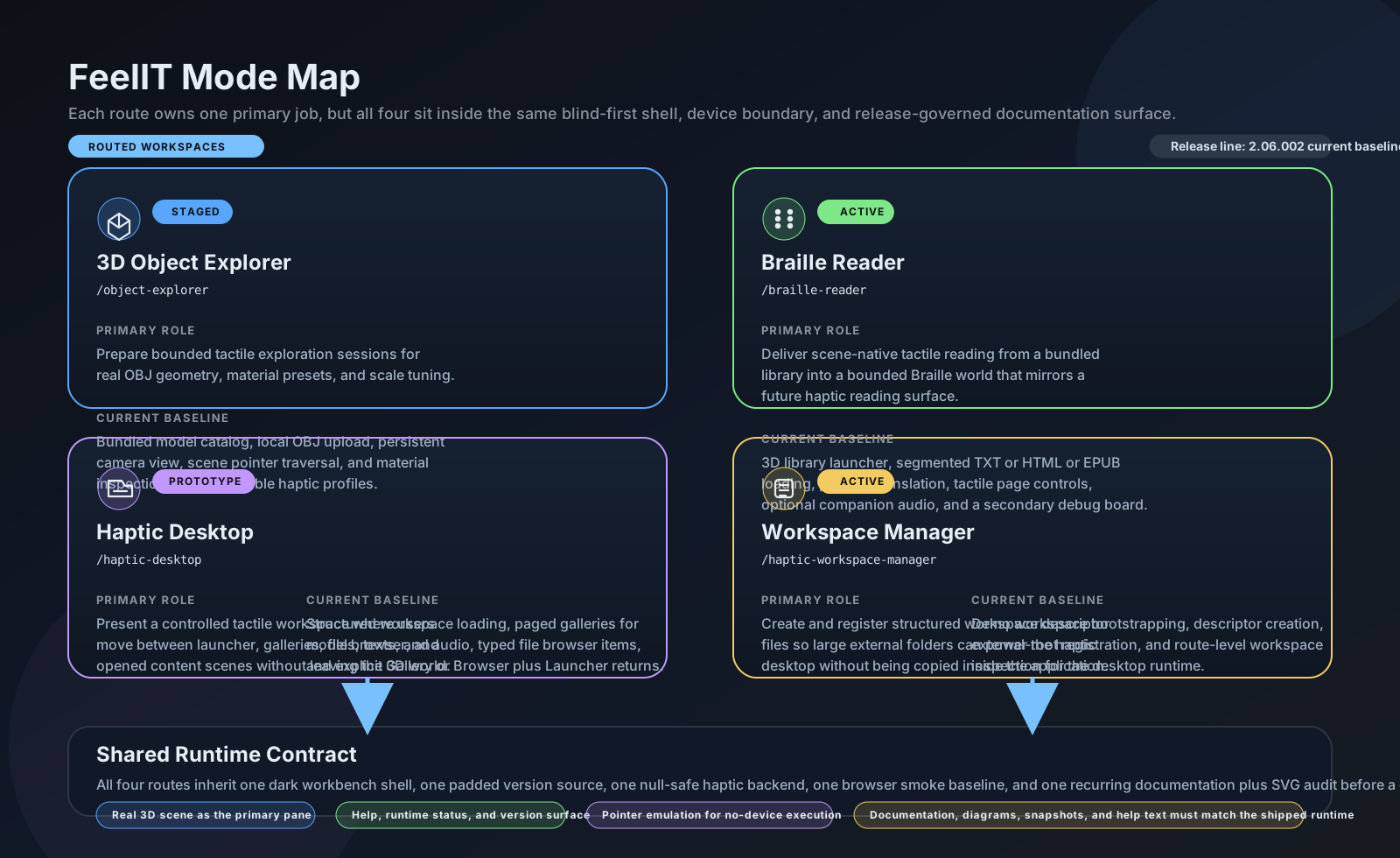
FeelIT 2.0 resucita la visión original de accesibilidad con un enfoque puramente de software, Python/FastAPI + Three.js reemplazando Windows Forms + OpenGL. La abstracción de backend háptico conectable significa que el sistema funciona inmediatamente sin hardware especializado (emulación de stylus por teclado), mientras permanece listo para dispositivos hápticos físicos cuando estén disponibles. Cuatro espacios de trabajo integrados (Explorador 3D, Lector Braille, Escritorio Háptico, Gestor de Espacios) proveen un enfoque estructurado y multi-modal a la interacción táctil que ninguna tecnología asistiva existente ofrece. El piloto háptico de abril 2026 validó que la integración de hardware no requirió cambios en la plataforma central.
El Desafío
La accesibilidad táctil sigue desatendida. Los lectores de pantalla y descripciones de audio dominan la tecnología asistiva, pero el audio solo no puede transmitir relaciones espaciales, formas 3D o textura física de objetos. El FeelIT original (2008-2012) fue congelado cuando la miniaturización del hardware hizo impracticable la pantalla de pin-array.
Nuestro Enfoque
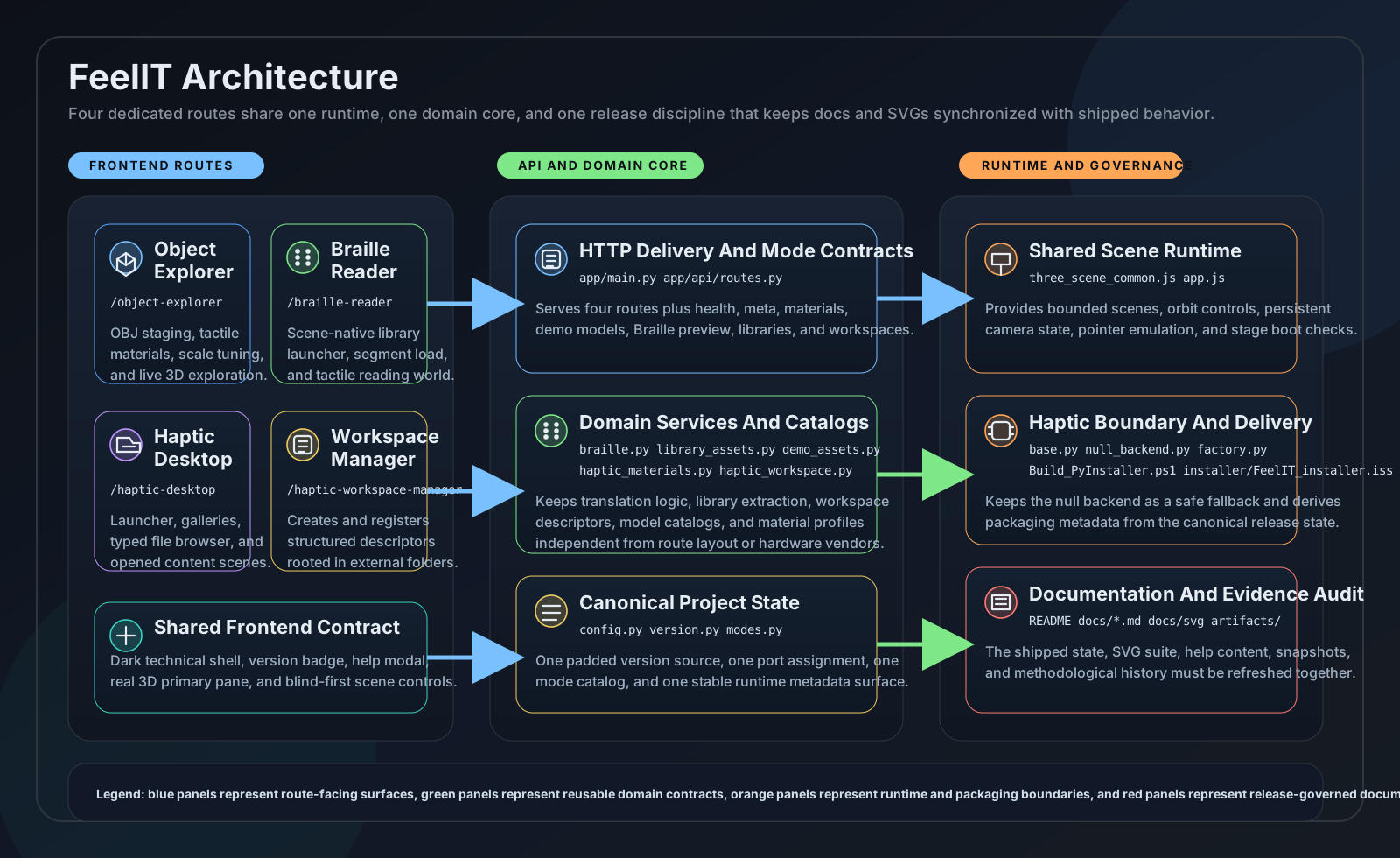
Cuatro espacios de trabajo integrados: Explorador de Objetos 3D (8 perfiles de material táctil, stylus controlado por teclado), Lector Braille (biblioteca 3D nativa con soporte ASCII completo + caracteres acentuados), Escritorio Háptico (lanzador de espacios de trabajo para modelos, textos, audio), y Gestor de Espacios (auto-poblado desde carpetas externas). Abstracción de backend háptico conectable que soporta backend nulo para solo visual e interfaz lista para hardware.
Indicadores Clave de Rendimiento
| KPI | Línea Base | Resultado | Impacto |
|---|---|---|---|
| Acceso a Información Espacial | Solo descripciones verbales | Exploración 3D táctil directa | Comprensión de formas sin visión |
| Lectura Braille | Texto lineal, sin contexto espacial | Braille nativo en escena 3D con navegación | Experiencia de lectura inmersiva |
| Dependencia de Hardware | Dispositivo específico requerido | Backend nulo, funciona sin dispositivo háptico | Usabilidad inmediata |
Arquitectura
feelit2 arch
feelit2 braille
feelit2 legacy mapping
feelit2 modes
feelit2 problem
A Vision That Took 14 Years
In 2008, as an electronics engineering student at the Universidad de Concepcion, I built a pin-array display prototype, an electronically controlled grid of pins whose heights could render tactile surfaces for blind users. The concept was simple and powerful: a dynamic tactile screen, like a monitor but for touch.
The project froze in 2012. The electromagnetic actuators couldn’t be miniaturized enough, the cost per pin was prohibitive, and the 10x10 array I managed to build was too crude for practical use. But the idea never died.
Fourteen years later, the landscape had fundamentally transformed. Web technologies enable cross-platform deployment. Three.js delivers hardware-accelerated 3D in any browser. The haptic device ecosystem has expanded beyond proprietary solutions. And critically, the web platform means FeelIT can work even without physical hardware, using keyboard-driven stylus emulation as a first-class interaction mode.
FeelIT 2.0 rebuilds the original accessibility vision from scratch: Python/FastAPI + Three.js instead of Windows Forms + OpenGL.
The Accessibility Gap
Screen readers and audio descriptions dominate assistive technology. They work well for text-based content. But audio alone cannot convey spatial relationships, 3D geometry, or the physical texture of an object. A blind person can hear a description of a sculpture, but they can’t understand its form through words alone.
FeelIT 2.0 addresses this gap through four dedicated workspaces, each serving a distinct accessibility need.
The Workspaces
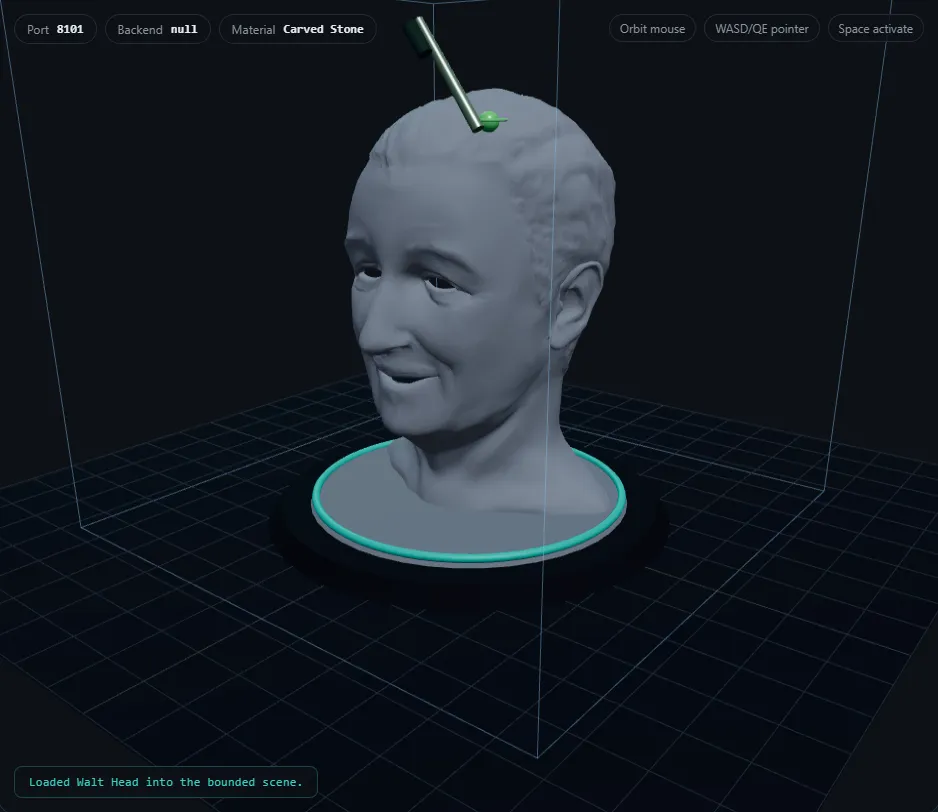
The 3D Object Explorer loads OBJ models, 10 bundled or user-uploaded, and maps them to one of 8 tactile material profiles: polished metal, carved stone, unfinished wood, rubber, foam, textured polymer, coated paper, glazed ceramic. Each profile defines stiffness, friction, texture, and vibration parameters as frozen dataclass constants. Users navigate with keyboard-driven stylus emulation (WASD/QE for movement, Space/Enter to activate).
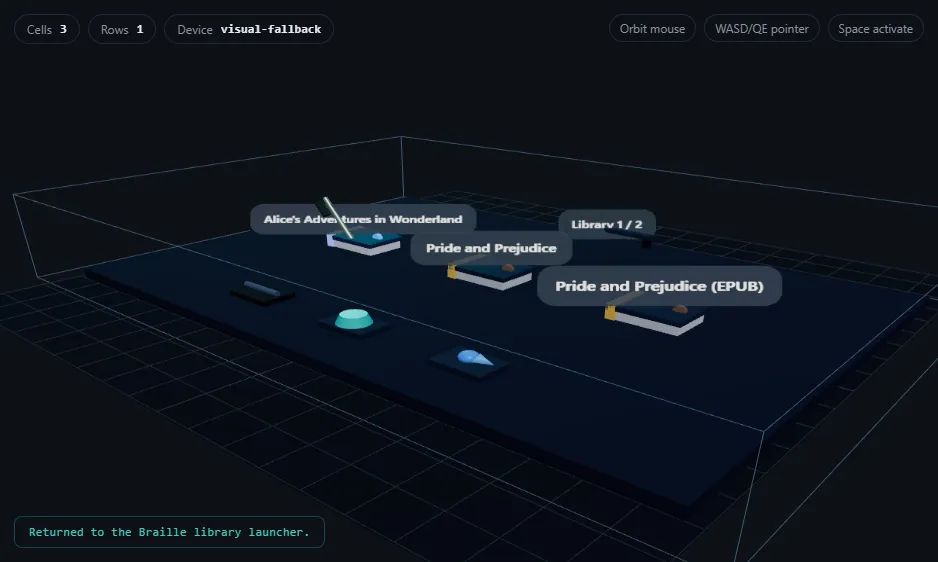
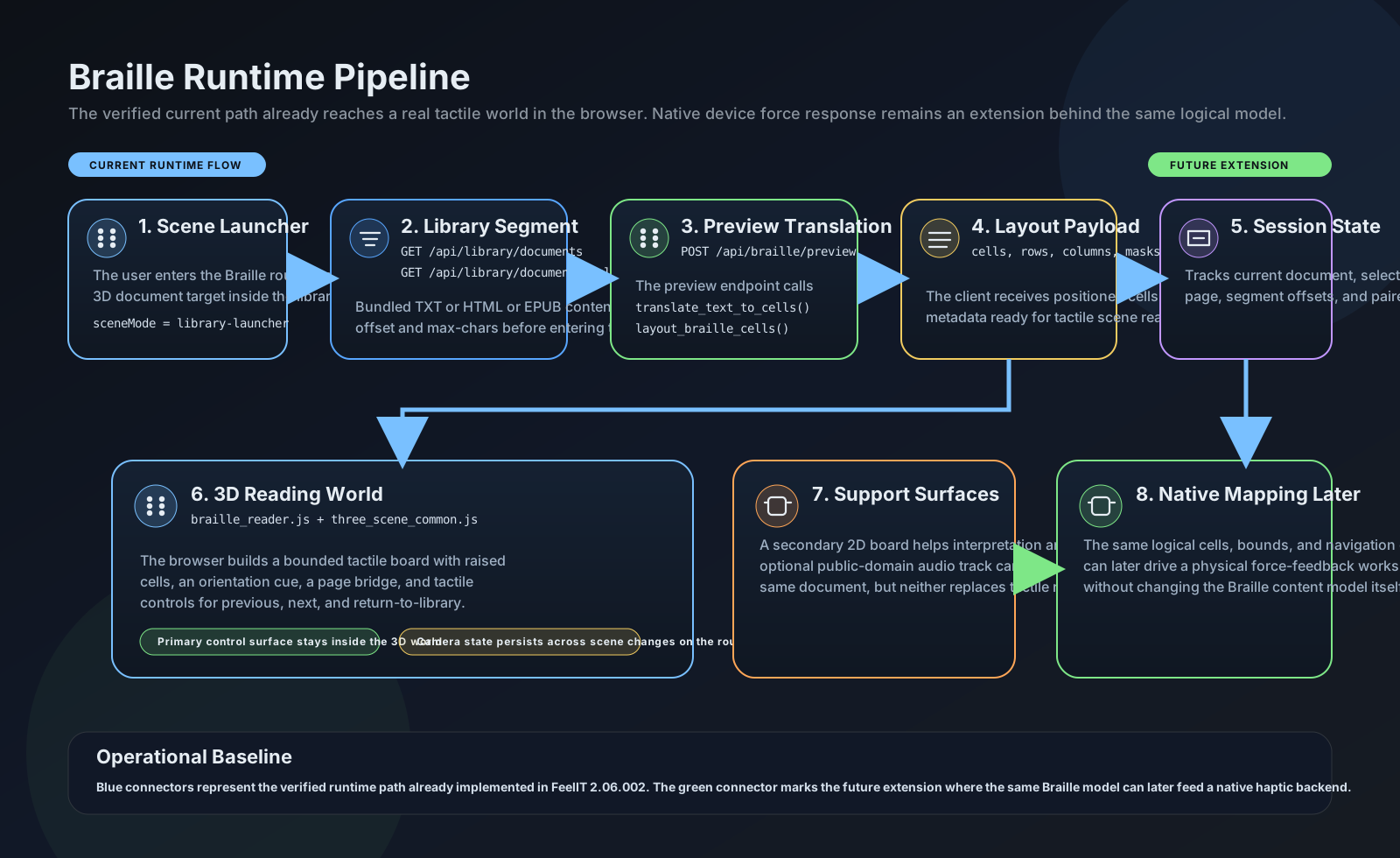
The Braille Reader renders documents as 3D scene-native Braille. A custom 134-line encoding engine transforms text into spatial cells: Character → 6-dot mask (0–63) → 3D positioned cell arranged in a rows x columns grid with orientation rail and origin marker. It loads bounded segments (1,200 chars) from TXT, HTML, or EPUB files with in-scene Previous/Next pagination. Full ASCII plus accented character support; unknown characters fall back to dots 3,4,5.
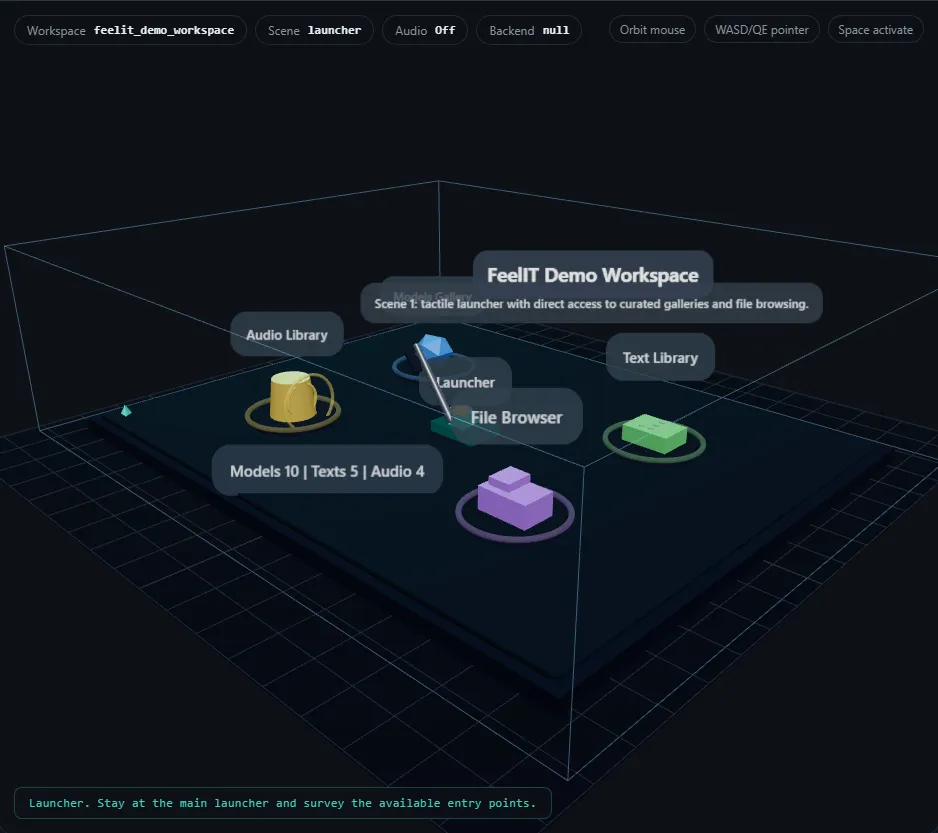
The Haptic Desktop provides a neutral hub: a workspace launcher with entry points for models, texts, audio, and a file browser. File types have distinct tactile shapes (folders, models, documents, audio, unsupported). Detail plaques show names before opening. The camera viewpoint persists across workspace transitions.
The Workspace Manager handles content organization. Users create workspaces from external folders with auto-population of discovered models, documents, and audio, or register existing .haptic_workspace.json descriptors.
The Hardware Bridge
In April 2026, version 2.18.000 achieved the first bounded native haptic pilot, real force feedback through a physical device. The pluggable backend abstraction allowed hardware integration with zero changes to workspaces, Braille engine, or material profiles. A haptic configuration review flow was added for safe parameter adjustment before sessions.
This validated the architecture: the separation between interaction logic and hardware I/O was clean enough that the entire system worked identically with or without physical hardware.
Limitations
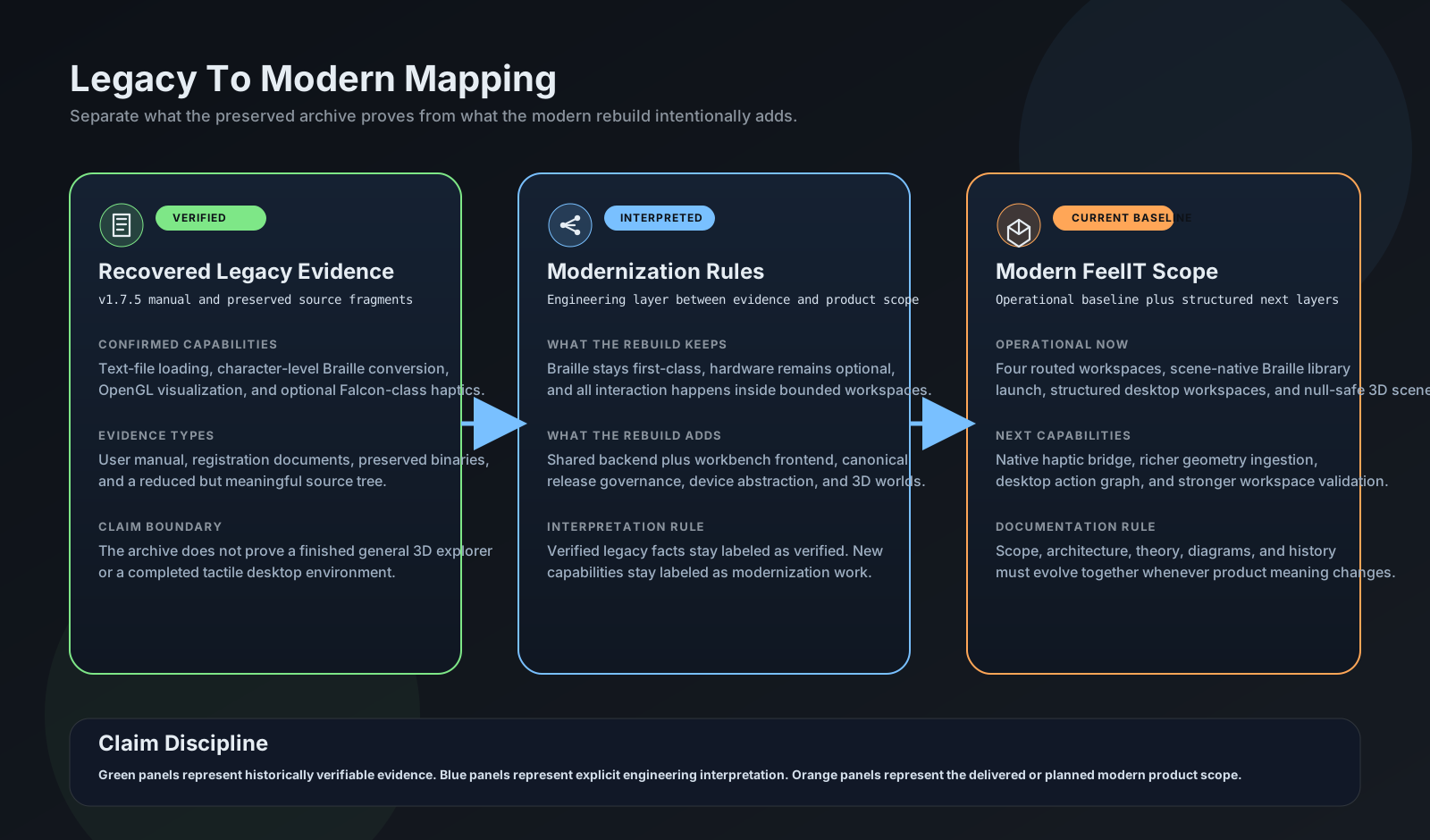
The project explicitly documents what is shipped versus what is planned. The Implementation Gap Audit on GitHub records exactly what works today (Braille reading, 3D staging, workspace management) and what requires future work: native haptic hardware bridge beyond the bounded pilot, PDF/DOCX support, and full force-feedback material realization.
| Aspect | Original (2008–2012) | FeelIT 2.0 (2026) |
|---|---|---|
| Platform | Windows Forms | Web (FastAPI + Three.js) |
| Scope | Braille only | 4 workspaces |
| Haptic device | Novint Falcon-specific | Pluggable backend |
| Documents | Text files only | TXT, HTML, EPUB |
| Documentation | Minimal | 12 docs + 5 SVGs |
Stack Tecnológico
Capturas de la Aplicación